MULTIMODAL AI

AI Capabilities: Specialized Engines, One AI Agent on Top

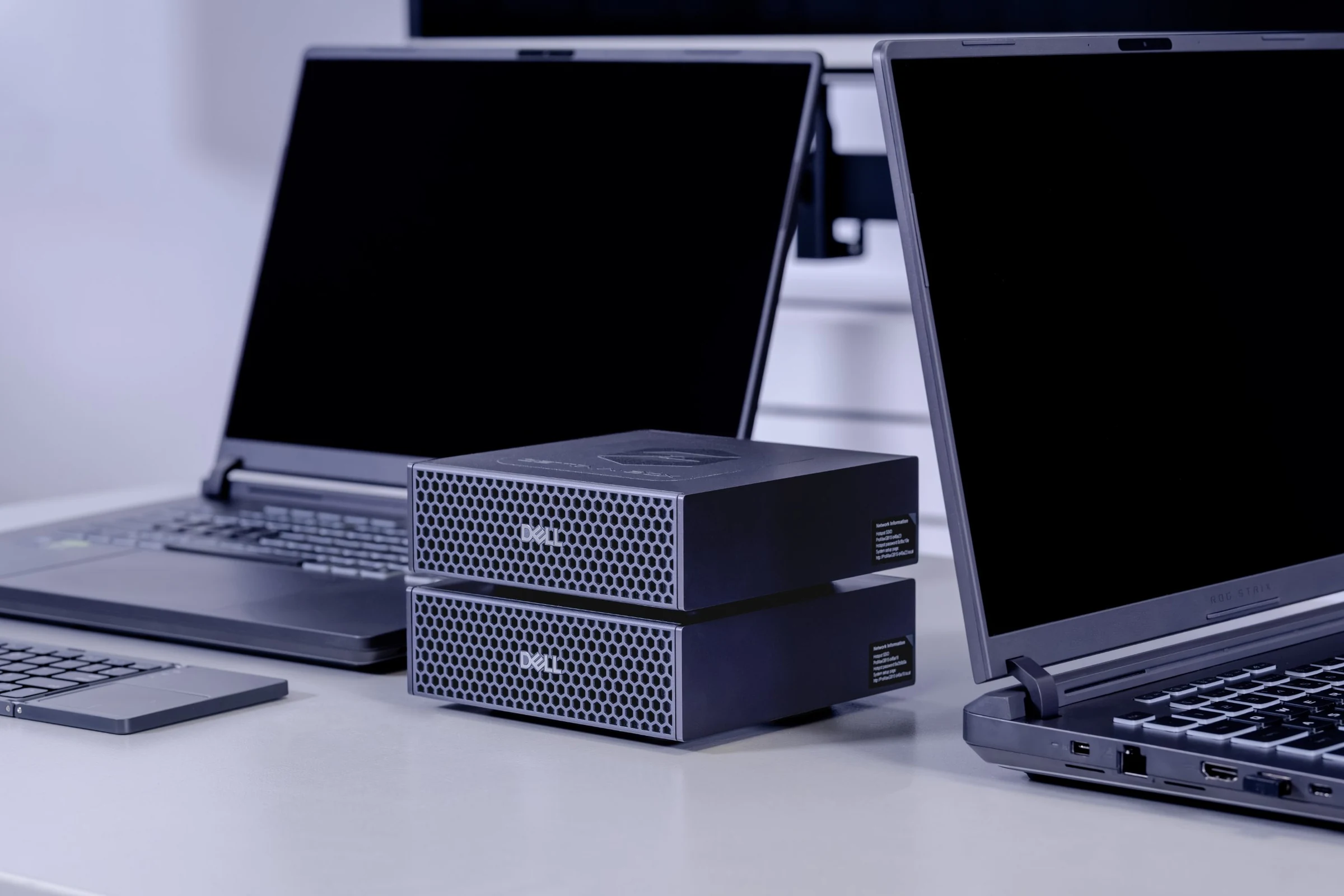
Two ZETTA AI Box appliances stacked on a desk between two laptops, running AI analysis fully on-premise

Engine 01

Speech Processing

Automatically transcribe audio recordings into text, with language and speaker identification. Process recordings 10–30× faster than real time, with noise reduction and voice activity detection for challenging audio.

01

Features

Speech-to-text · Speaker diarization · Language identification · Noise reduction · Multi-language audio · Stereo calls · 80+ languages

02

Typical input

Files: calls, interviews, intercepts and meeting recordings. Live audio streams.

03

Typical output

Timestamped transcripts, separated by speaker and language

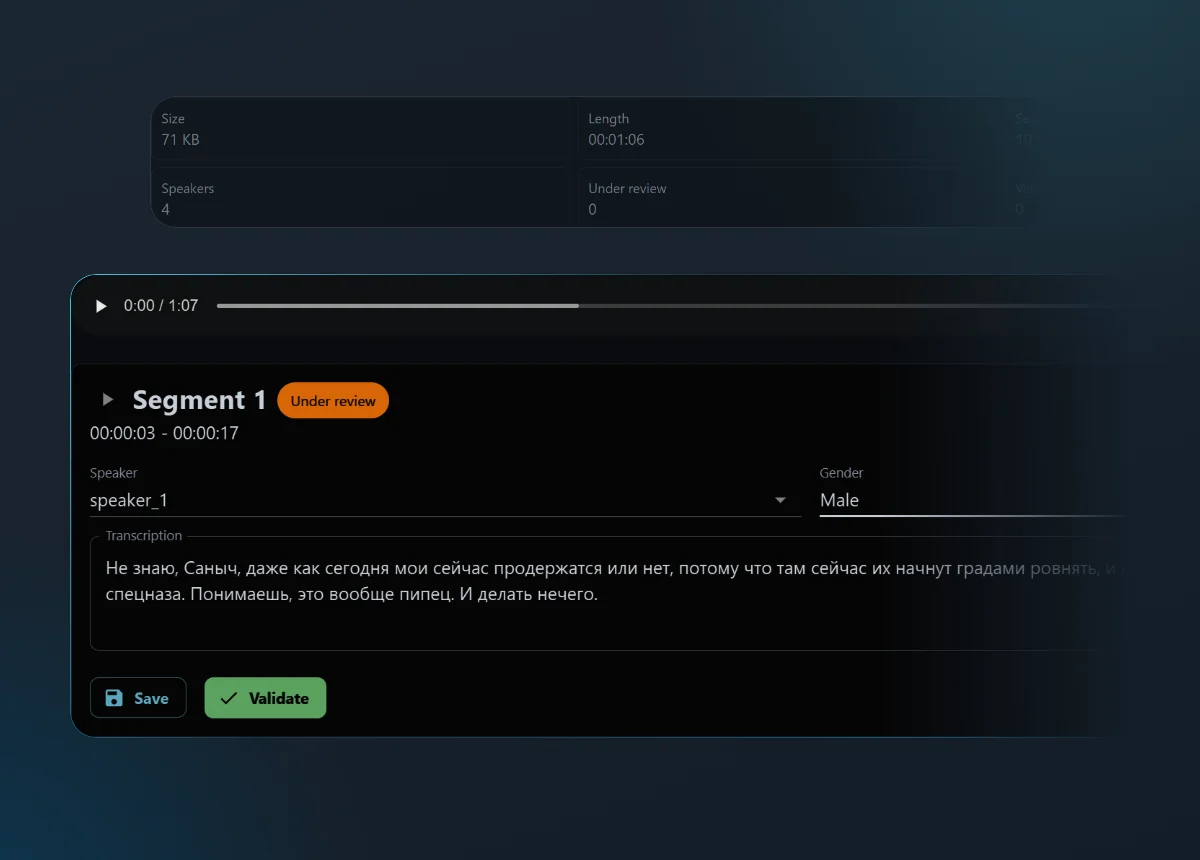
ZETTA Case Analyzer speech transcript view: a transcribed audio recording with speaker-labelled segments and timestamps, produced on-device

100

languages, any-to-any

19

output formats

PDF

with the original layout preserved

Audio

transcripts translated too

Engine 02

Machine Translation

Automatically translate audio transcriptions, text and documents in rich-text formats across 100 languages.

01

Features

Text and document translation · Transcript translation · Format preservation · Any-to-any language combination

02

Typical input

Foreign-language documents and transcripts, including sources containing multiple languages

03

Typical output

Translated documents with original layout, including PDF

Engine 03

Document Intelligence

Perform Optical Character Recognition (OCR) and handwriting recognition on complex scanned images and documents, in any language.

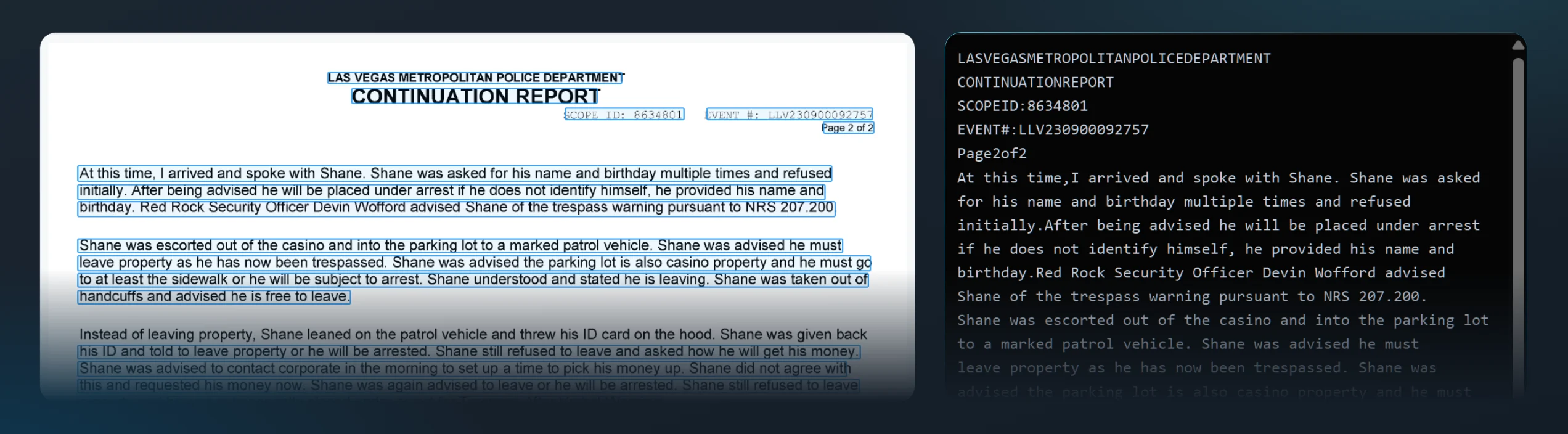
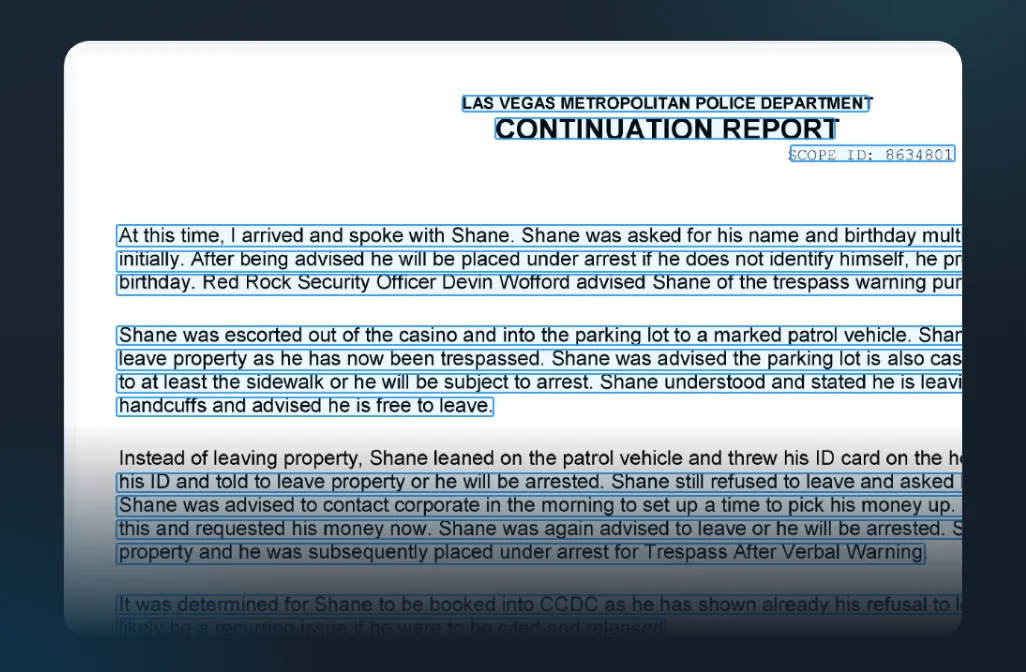
ZETTA Case Analyzer document OCR: a scanned document beside its extracted, searchable text and structured fieldsZETTA Case Analyzer document OCR: a scanned document beside its extracted, searchable text

Features

Extraction of text contained in images · Handwriting recognition · Structured output · Intelligent layout and content identification

Typical input

Scanned forms, statements, contracts, invoices, photos of documents, scanned PDFs

Typical output

Searchable text and structured data as markdown, text regions with bounding boxes, figure and table parsing, or locating one named element on the page

Engines 04 and 05

From text and footage to structured intelligence

Engine 04

Content Intelligence

Turn unstructured text into structured intelligence: people, organizations, places, events and topics.

Named entitiesRelationshipsSummarizationClassificationCross-language analysis
In
Transcripts, reports, emails and text messages, video descriptions
Out
Entity lists, relationships, summaries, categories
Engine 05

Image & Video Intelligence

Automatically extract key frames from videos, identify objects and generate customizable video descriptions.

Object detectionKey-frame extractionScene and video descriptionsMetadata extraction
In
CCTV, bodycam, phone video, photos
Out
Key frames, detected objects, written descriptions

ZETTA AI Agent

All engines feed one ZETTA AI Agent

01

Search

Find any person, place, event or topic across everything the engines produce.

02

Connect

Surface relationships between transcripts, documents, images and video.

03

Answer and report

Ask once, in plain language, and get grounded answers and structured reports.

Trust

AI results you can verify

Scoring

Confidence Scoring

Know which AI results need your attention. ZETTA AI Engines provide confidence scores to help identify potentially unreliable results and flag them for human review, so analysts can prioritize corrections and improve the reliability of their analysis.

Review

Human-in-the-Loop

AI does the heavy lifting. Humans stay in control. Analysts review, correct and validate AI-generated results; every result stays linked to its source, and human decisions are recorded for traceability.

Repeatable

Consistent & Traceable AI Outputs

Same input. Same output. Every time. Purpose-built engines deliver deterministic, reproducible results, with model versions and processing settings recorded for auditing and verification.

Reference

Supported languages and formats

01.

Speech Processing: supported languages

keyboard_arrow_down

en (English), es (Spanish), fr (French), de (German), it (Italian), pt (Portuguese), nl (Dutch), pl (Polish), ro (Romanian), ru (Russian), tr (Turkish), zh (Chinese), ja (Japanese), ko (Korean), ar (Arabic), hi (Hindi), th (Thai), vi (Vietnamese), id (Indonesian), ms (Malay), tl (Tagalog), uk (Ukrainian), cs (Czech), da (Danish), fi (Finnish), el (Greek), he (Hebrew), hu (Hungarian), no (Norwegian), sv (Swedish), sk (Slovak), bg (Bulgarian), hr (Croatian), lt (Lithuanian), lv (Latvian), et (Estonian), sl (Slovenian), sr (Serbian), ca (Catalan), gl (Galician), eu (Basque), is (Icelandic), mk (Macedonian), mt (Maltese), sq (Albanian), af (Afrikaans), az (Azerbaijani), bn (Bengali), bs (Bosnian), cy (Welsh), fa (Persian), gu (Gujarati), ha (Hausa), hy (Armenian), jv (Javanese), ka (Georgian), kk (Kazakh), km (Khmer), kn (Kannada), lo (Lao), mi (Maori), ml (Malayalam), mn (Mongolian), mr (Marathi), my (Burmese), ne (Nepali), pa (Punjabi), ps (Pashto), sd (Sindhi), si (Sinhala), so (Somali), su (Sundanese), sw (Swahili), ta (Tamil), te (Telugu), tg (Tajik), tk (Turkmen), tt (Tatar), ur (Urdu), uz (Uzbek), yi (Yiddish), yo (Yoruba), zu (Zulu).
02.

Machine Translation: output formats, documents

keyboard_arrow_down

.pdf, .docx, .pptx, .rtf, .txt

03.

Machine Translation: output formats, plain text (UTF-8)

keyboard_arrow_down

.md, .csv, .tsv, .json, .jsonl, .xml, .html, .htm, .yaml, .yml, .ini, .cfg, .conf, .log

arrow_outward